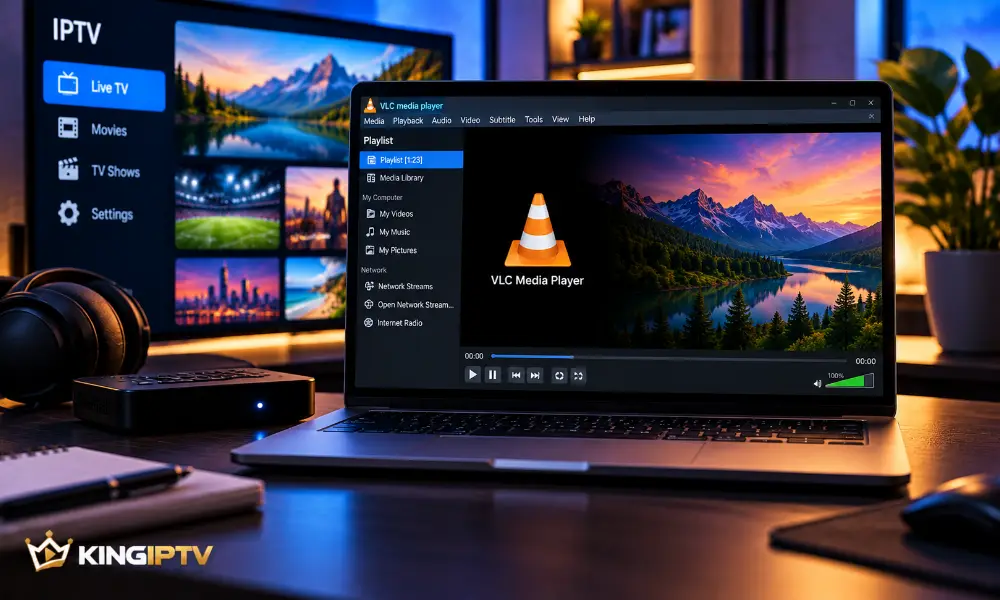
VLC is a versatile media player capable of handling many legitimate network media sources.
For IPTV users, its main attraction is simplicity: it can provide a straightforward desktop playback environment without a complicated television interface.
What Is VLC?
VLC is an open-source multimedia player developed by the VideoLAN project.
It is available for several major operating systems and supports local and network-based media.
You can learn more or obtain the legitimate application from the official VideoLAN VLC website.
Can VLC Play IPTV?
VLC can play compatible network streams that you are authorised to access.
Whether it works with a particular service depends on the format and configuration provided by that service.
Preparing VLC
Install the current legitimate version for your operating system.
After installation:
- Open VLC.
- Check that the application has network access.
- Use the network playback option appropriate for your authorised source.
- Test playback before changing advanced settings.
Network Performance
Streaming through VLC still depends on your internet connection.
If playback pauses frequently, check whether other devices are heavily using the network.
A wired connection can be useful for diagnosing Wi-Fi problems.
Buffering and Caching
VLC provides advanced playback and network options.
Changing these settings can sometimes help specific situations, but avoid randomly increasing values without understanding what they control.
First establish whether the problem is actually caused by the network.
VLC Playback Problems
Video Does Not Start
Confirm that the source is available and that your internet connection works.
Playback Stops Repeatedly
Check Wi-Fi quality and network congestion.
VLC Itself Is Unresponsive
Restart the application and check for updates.
Other Services Also Fail
This points more strongly toward a device or network problem.
Use our IPTV troubleshooting checklist for further diagnosis.
VLC vs a Dedicated IPTV Player
VLC is a general-purpose media player.
A dedicated television player may provide features designed specifically around remote navigation and programme organisation.
VLC can be useful when you want straightforward playback on a computer.
Security
Download VLC from VideoLAN or another trusted official distribution channel.
Avoid modified installers from unknown websites.
Only open network sources you trust and are authorised to access.
Final Thoughts
VLC can provide a simple way to play compatible authorised network media.
Keep the player updated, start with default settings and troubleshoot the network before making advanced changes.
For information about KING IPTV compatibility, visit KING IPTV and the FAQ section.